HeartStamp
Design system. Replaced handoff with pairing. Shipped 64% faster.
User Experience
User Interface
visual design
Context
HeartStamp is a creative tech company that uses AI to help people make very personal greeting cards and keepsakes. Instead of buying a generic card, you tell HeartStamp who the card is for and share things like memories, inside jokes, and how you feel. The AI then helps you write and design a card that feels like it was made just for that person, and you can turn it into something real you can hold or gift.
So in short, it sits between AI and human emotion: it’s about turning your real relationships and stories into unique, physical cards and mementos, not just quick digital messages.
My Role
Tools
Responsibility
Audit the existing unfinished figma design system
Audited the marketing site, customer-facing product & and internal admin tool
Took over the existing design system ownership
Designed components, Tokens, Style Guides, Guidelines
Strong collaboration with tech lead, PM while building the component library.
Design Leadership: Led the full design process from conception to handoff.
Problem Statement
By the time I joined, the workflow was producing drift faster than the team could fix it. Designers and engineers both felt it — but they were paying for it in different ways.
Hand-coding components from scratch, every feature
Same modal built 3× by 3 engineers in the same week
QA churn: 10–15 visual tickets per release
Specs always almost right — dozens of decisions made on the spot
Focus rings appearing on mouse clicks
Padding wrong by 4–8px in production
UI work became a 2-sprint commitment for a 1-sprint job
Same work, paid for three times
Hover and easing curves inconsistent
Designs shipped broken in small ways, every release
No proper interaction designs, most interaction was broken
Margins drifted across surfaces
Loading states with no rhythm
What was found after the audit?
I spent the first three weeks on a structured audit: 200+ screens across all three surfaces, sampled to cover every component type the product used.
Hand-coding components from scratch, every feature
Same modal built 3× by 3 engineers in the same week
QA churn: 10–15 visual tickets per release
Specs always almost right — dozens of decisions made on the spot
Focus rings appearing on mouse clicks
Padding wrong by 4–8px in production
It wasn't a documentation problem. It was a foundation problem — the design system that was supposed to anchor the product didn't exist as a usable artifact. Tokens: zero. Hover specs: none. Half the components in production had no Figma source at all.
Naming conventions were decided. Categorization streamlined. Everything rebuilt from scratch in Figma — not to clean up, but to future-proof the layer everything else would depend on.
Foundation
After all the audit, research and data, I knew what I needed to build to solve the sync error between cross function team, stakeholders, easy prototypes and other necessary actions. So To start the foundation of the heartstamp design system, I called a meeting with my tech lead and had multiple meetings on our existing tech stacks. Because to build a proper and correct foundation of the design system, I made sure I am using all the existing tech stack so that we can do a seamless transition when our design system is ready to adopt.
Strategy
By the end of the discovery phase, the question had narrowed from "build a design system" to something more honest: replace the operating model. The system is the artifact, but the goal is the system that produces the artifact.
Tokens first, components second
One source, every surface
Contribute, don't fork
Documentation lives where the consumer lives
Tokens
A design system without tokens isn't a system. It's a Figma file with components in it.
HeartStamp had none when I started. Zero tokens in Figma. Zero in code. Designers picked colors from style guides; engineers hardcoded hex values into CSS. Nothing kept design and code in sync, because there was nothing to sync to.
Every token is defined once in Figma and mirrored in code. I own the design system, so the sync is governed, not automatic. When a designer needs a color change, they propose it; once it's final, I push the update to the system, and it ships to marketing, product, and admin together. One change, one source, three surfaces, no engineer translating anything by hand.That's what one source of truth means. A controlled pipeline where design and code can't drift, because every change goes through one door.This layer had to come first. Components built on inconsistent tokens just bake the inconsistency in. Skip this step, and no library is ever good enough to fix it later.
Icons — searchable, copyable, in one place
Designers searched for icons in Figma. Engineers hunted them in Lucide docs. Marketing screenshot them from the app. No single source of truth — and constant context-switching across three tools.
I built a live icon library inside the HeartStamp design system itself. One page. Search across 5000+ Lucide icons and 20 custom HeartStamp icons. Click any icon to copy the exact import statement to clipboard. No modals, no extra steps.
Why it matters
Engineers copy the right import in one click. No typos, no doc-diving.
Designers see the live-rendered icon at production size and weight, not a static Figma approximation.
Marketing and PMs browse the full library without needing Figma access.
New joiners discover what exists in minutes, not by asking "do we have an icon for X?"
Saves an estimated 10 minutes per person per day across the team. The kind of infrastructure that compounds quietly.
Brand assets — self-service, always current
Logos lived in a shared Drive folder with cryptic filenames and outdated versions. Marketing pulled 2-year-old PNGs. Freelancers screenshot the logo off the website. Engineers hardcoded hex values that didn't match the brand. Every request became a Slack thread.
I built a self-service brand asset hub inside the design system. One page. Every variant of every logo, every format, every download — without leaving the docs.
Who
Before
After
Marketing
Slack a designer, wait for files, hope for the right one
Self-service download — SVG, PNG, or full ZIP
Engineers
Hex codes from a PDF, hardcoded SVG paths
Typed React component with color="brand"
Designers
Export from Figma, upload to Drive, share link
Point anyone to the DS — always canonical
New hires
Hunt through Drive for 20 minutes
One page, 20 seconds
Eliminated an entire category of internal support requests. No more "wrong logo" incidents. No more outdated assets in pitch decks. One URL, always current.
Button — token-driven, zero hardcoded values
Buttons are the most-used component in any product, and the most inconsistent. Before HeartStamp, a "primary" button in the editor looked different from a "primary" button in the chatbot. Padding drifted. Radii drifted. Dark mode was a patchwork of manual overrides. A brand color change meant a codebase-wide find-and-replace.
I built a single <Btn> component where every visual property — color, padding, radius, font, gap — points to a CSS design token. Change one token, every button in the product updates. No code change, no PR.
7 variants
Default · Secondary · Outline · Ghost · Secondary-ghost · Link · Destructive
6 sizes
sm, default, lg — plus matching icon-only sizes
17 tokens
Drive every color, padding, radius, font, and gap
Brand refresh in 2 minutes. When the primary red shifted from #BE1D2C to #CF2737, I changed one token. Every button, focus ring, and ghost tint updated across the product.
Dark mode for free. Tokens resolve to different values per theme. The component doesn't know which theme is active.
Navigation — 5 patterns, one token system
HeartStamp isn't one product. It's a marketing site, a card editor, a profile menu, and a mobile experience — each with its own navigation needs. Most teams solve this with copy-paste. I built it as architecture.
Five purpose-built navigation components, all driven by the same tokens. Brand color changes once → every nav updates everywhere.
Who
Before
After
Website nav
Marketing site
Responsive shell, logged-in / logged-out states, animated search panel
Editor nav
Card editor (desktop)
Dense workflow tools, zoom controls, dropdown menus
Editor nav
Card editor (mobile)
Swipeable command strip, custom chevron tab from Figma path data
Profile menu
User settings
Composable rows, live theme toggle, mobile-only extended menu
Top nav (drawer)
Mobile site
Slide-out menu, anchored auth buttons
Overlays & Popups — 11 components, one visual language
Every app with real complexity needs layers — confirmations, hints, slide-out panels, command palettes, toasts. Before HeartStamp, these were built ad-hoc: backdrop opacities drifted, shadows didn't match, animation curves were each developer's preference. A dialog in the editor looked different from a dialog in settings.
I built 11 overlay components, grouped by what kind of attention they ask for — and gave them all the same shadow, border, radius, and animation curve so they feel like the same product.
Input · Textarea
Text, search, password reveal, keyboard hint, labeled — one component, 5 patterns via composition
Select
Custom dropdown, zero dependencies. Visually interchangeable with Input
Label · Kbd
Tiny primitives, one job each. Used inline by Input, available standalone
Checkbox · Radio · Switch · Slider
Standard controls, same active color (--accent), nuanced disabled-when-checked states
Color Picker
HSV picker with recents, popover or inline mode. Used in the editor's signature panel
Stepper
Multi-step progress, mobile + desktop. Powers the 5-step card creation flow
Tabs · Pill Tabs
Standard tabs + segmented pill with animated sliding indicator
Toggle · Toggle Group
Single + grouped on/off buttons. Used for text formatting (B/I/U) and alignment
Inputs & Forms — 15 primitives, one toolkit
Forms are where users hand over trust. Before HeartStamp, a text input in the editor looked different from one in account settings. Focus rings didn't match. Disabled states varied. Error handling was reinvented per form.
I built 15 form primitives — every control needed to ship any form pattern in the product. Each is independently useful, all driven by the same tokens. Combine them however the form needs; they'll always match.
Input · Textarea
Text, search, password reveal, keyboard hint, labeled — one component, 5 patterns via composition
Select
Custom dropdown, zero dependencies. Visually interchangeable with Input
Label · Kbd
Tiny primitives, one job each. Used inline by Input, available standalone
Checkbox · Radio · Switch · Slider
Standard controls, same active color (--accent), nuanced disabled-when-checked states
Color Picker
HSV picker with recents, popover or inline mode. Used in the editor's signature panel
Stepper
Multi-step progress, mobile + desktop. Powers the 5-step card creation flow
Tabs · Pill Tabs
Standard tabs + segmented pill with animated sliding indicator
Toggle · Toggle Group
Single + grouped on/off buttons. Used for text formatting (B/I/U) and alignment
11 components, 1 visual language. Whether it's a toast in the corner, a sheet from the edge, or a command palette in the center, they all feel like the same product.
Live in the docs. Every overlay is interactive on the DS page. Toasts actually fire. Sheets actually slide. Context menus actually appear on right-click. Engineers see exactly how the component behaves before writing a line of code.
Feedback & Status — 4 components, one communication language
Users need constant, clear signals about what the system is doing. Is this loading? Did it succeed? Did something break? At HeartStamp, these signals were inconsistent: loaders varied from spinners to blank spaces, errors leaked as unformatted text, and success states were entirely forgotten. Users couldn't build a reliable mental model.
Four purpose-built feedback components, all driven by the same tokens. Every error is the same red, every success is the same green, and every loader pulses at the exact same rhythm.
Component
Signal type
Duration
What's distinct
Alert (Alrt)
Inline status
Permanent until change
Non-blocking document flow, 4 semantic variants via pure data map (vmap)
Toast
Ephemeral alert
3.5 seconds, auto-dismiss
Fixed-position portal stack, live interactive site engine demo with real triggers
Skeleton (Skl)
Async placeholder
Until content resolves
22 lines of code, infinite layout shapes via a dual-token CSS linear-gradient
Progress (Prg)
Operation fill
Until step completes
Active track tracking deterministic values with a fluid 0.3s width transition
AI Conversational Core — Bringing Stampy into the Design System
Stampy is HeartStamp's AI assistant — it guides users through creating personalized greeting cards via multi-step conversations with carousels, checklists, template pickers, and a loading-to-celebration transition. Originally built as a standalone React app with its own colors, fonts, and animations, it felt like a different product from everything around it. Dark mode didn't work. Brand changes didn't propagate.
I rebuilt it inside the design system — every piece, then the whole. Each component documented standalone. Then assembled into a live, working prototype inside the DS itself.
Component
What it does
Chat Bubbles
AI and user message bubbles with brand-tinted backgrounds, spring-animated entrance
Style Carousel
Horizontally scrollable art-style picker with touch and mouse drag
Tada Banner
Loading → celebration transition with cross-fade title, icon swap, and scale pulse
Working Spinner
"AI is thinking" indicator with fade-in label and fast exit
Chat Input
Two variants — home (multi-line with image + mic) and conversation (compact)
Chat Headers
Four interactive AI-response menus — numbered, checklist, template picker, action
Occasion Suggestions
Dismissible pill overlay with randomized prompts to start conversations
Overflow Menus
……..
Every component is independently importable. Anyone can use <StampyBubble> to build a custom chat UI, or pull OverflowMenu for a numbered picker anywhere in the product.
Editor — the workspace built from the design system
The card editor is where users actually make a card — pick art styles, write messages, sign their name, choose envelopes, translate to another language. It's a dense, tool-heavy workspace that has to work two completely different ways: desktop (sidebar panels) and mobile (slide-up sheets).
The editor used to be its own product. Its own buttons. Its own inputs. Its own color picker. Every time the brand changed, the editor drifted out of sync.
I rebuilt it from the design system. The editor doesn't have its own button. It uses the DS button. It doesn't have its own color picker. It imports the one from the DS. Everything in the editor is a component the rest of the product already uses.
Tool
What it does
Styles
Pick the card's art style — searchable grid with featured, trending, and popular tabs
Message
Write the personal note — 6 decorative fonts, font size, alignment, live preview
Signature
Draw, upload, or type a signature — with a color picker for the ink
Envelope
Pick the envelope style, color, stamp, and return address
Translate
Translate the message into 20+ languages with side-by-side preview
Desktop uses a vertical toolbar on the left with sliding panels. Mobile uses a swipeable bottom nav with slide-up sheets.
Same tools. Same options. Same behavior. Just laid out for the screen.
Conclusion
HeartStamp started as a fix for a velocity problem. It became something bigger: a single source of truth that designers, engineers, marketing, and product all work from.
The system covers every layer of the product — 135 tokens, a unified icon library, a brand asset hub, and a full component set: buttons, navigation, forms, overlays, the AI chatbot, and the card editor itself. Each piece is independently useful. All of them share the same tokens, the same patterns, the same visual language.
Before HeartStamp
After HeartStamp
Three React surfaces, three component sets, three interpretations of "primary blue"
One component library, one source of truth, one brand across every surface
Designers handed specs to engineers, engineers rebuilt from scratch
Designers and engineers pair from day one — Figma and code update together
Brand changes meant codebase-wide search and replace
Brand changes ship through one token update
New features waited on UI to be hand-coded each time
New features compose existing components
Dark mode was a patchwork of manual overrides
Dark mode works automatically, everywhere
What I'd carry to the next system
Design systems don't fail at component design. They fail at workflow design. Get the workflow right and the components become inevitable. Get it wrong, and no library is ever good enough — the team will always find a way to drift around it.
The other thing I'm carrying: a design system is a service organization, not a product team. Its success isn't the quality of the library — it's the speed and quality of the squads that depend on it. That reframe changes how you spend your time, what you measure, and who you hire.
DESIGN OUTCOME
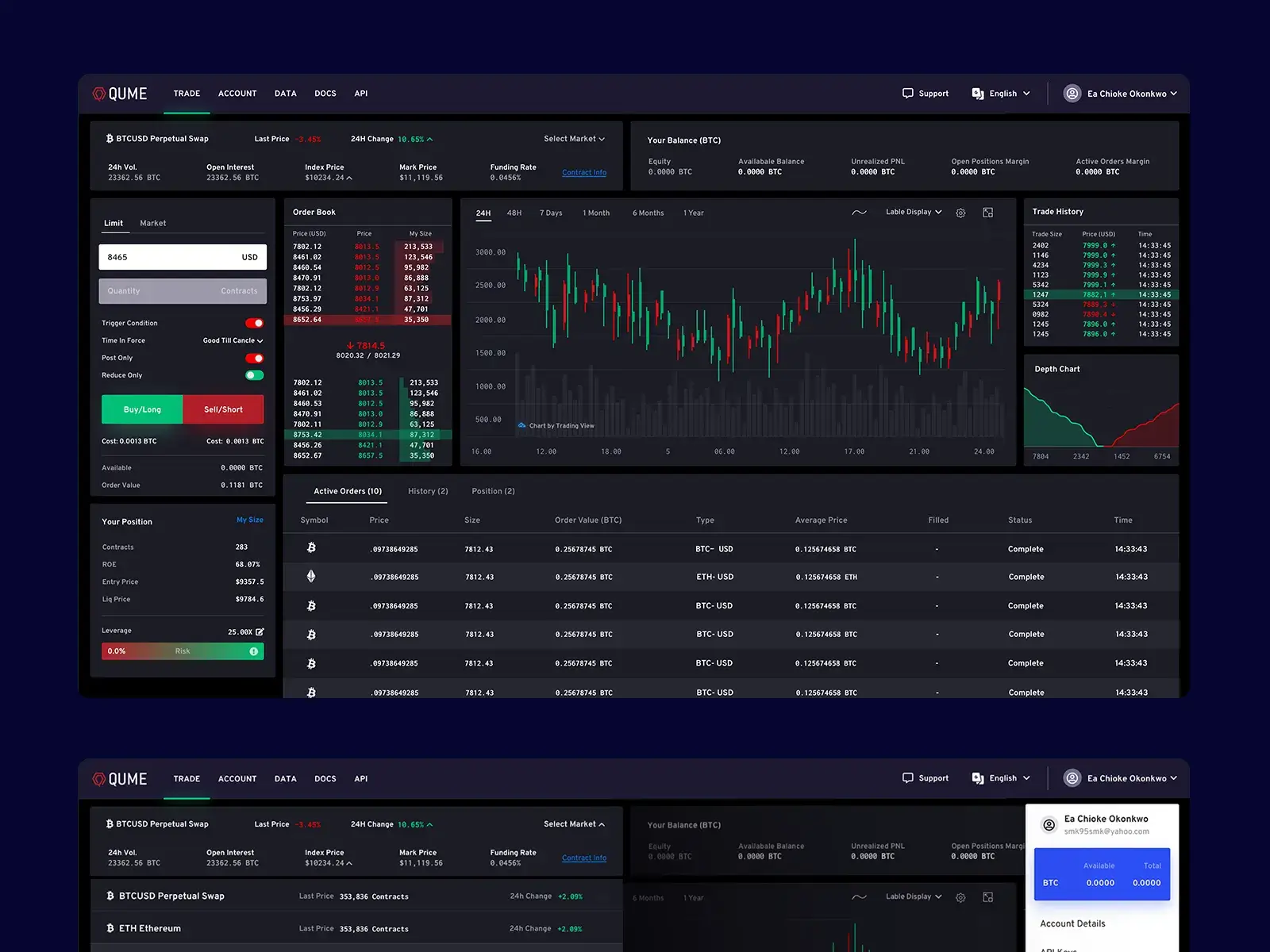
With more than 180 hours of focused effort, the Qume redesign played a key role in securing $1.3M in seed funding
Professional, Meticulous, and Efficient, A Designer You Can Rely On
Eftakher was an extremely talented and meticulous designer who consistently delivered high-quality results on very tight timelines. He was able to get up to speed and learn our product quickly and was always responsive and adaptable throughout the design process. I would recommend Eftakher’s work to anyone looking for efficient, professional design work.

Spencer Kim
Co-founder & Head of product at Qume Exchange.
Credits
Services
Research
Interface Design
Experience Design
Component Design
Design Sytem
Landing Page Design
Tools
Sketch App
Invision App
Zeplin
Skype
team
Director
Spencer KIm, Qume
Lead Designer
Md Eftakher
Get your MVP designed before your next investor call.
Low Friction
I work where you work
Forget long email chains and status meetings. I plug directly into your Slack and tools so I’m always in the loop. By seeing how your team works in real-time, I can catch roadblocks before they happen and make sure every design I deliver is perfectly in sync with your goals.
Decisions
Ship. Refine. Repeat.
We iterate until the work is bulletproof. Once you give the green light, we hit the ground running on your next big priority. No downtime, no fluff, just pure momentum to keep your product moving forward.

